See how WebFones Voice for Desktop puts calls, messaging, voicemail, Call Intelligence, and CRM access in one window — no desk phone required. Watch the 7-minute walkthrough.
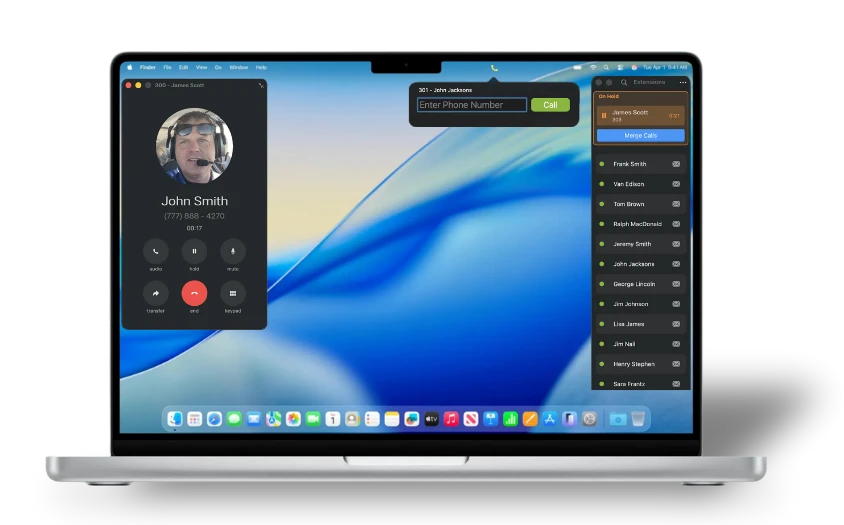
Extensions, chat, contacts, voicemail, call history, Call Intelligence, and the WebFones Browser are all built into one desktop application. Calls feel like calls. Messages feel like messages. Nothing about it feels like complicated enterprise telephony.
Retire your desk phone. Pair a Bluetooth headset, use AirPods Pro, or simply use your computer audio. Same business number, same workflow, no extra hardware.
Your extensions at a glance. Presence, availability, and one-click call transfers.
Message teammates and text customers from the same app — with every conversation connected to the contact.
Call, text, add notes, and view call history from each contact — all in one place.
Send and receive internal and external messages, share images and links, keep multiple conversations open, and start new chats with a click. Save the messages you use most as templates and insert them from a simple dropdown.
No second app. No copying and pasting between systems. Every thread stays connected to the contact, call history, and notes — keeping the whole relationship in one place.
Try WebFones Voice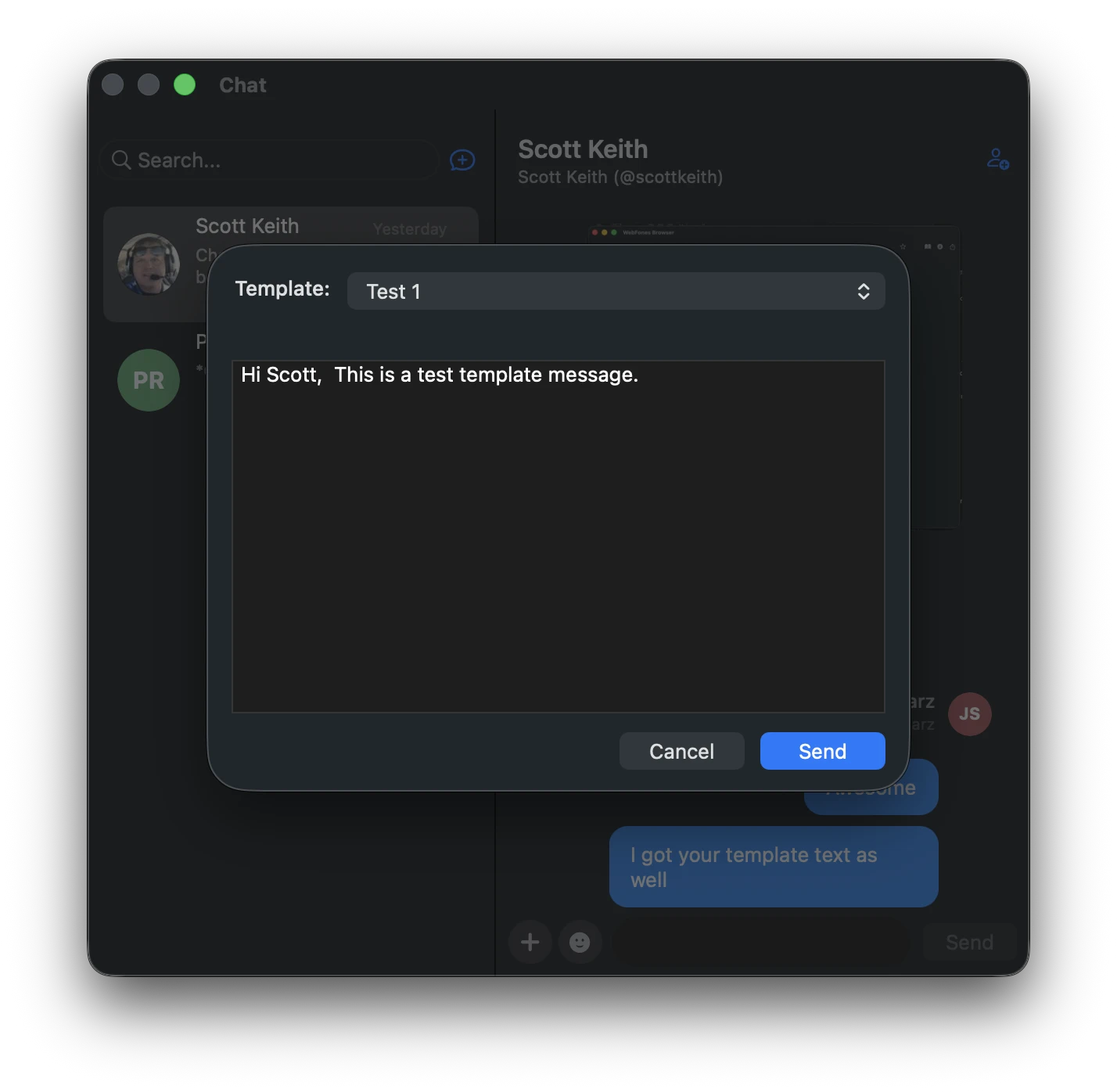
Every voicemail arrives with an AI-generated summary up top, the full transcript below, and the audio still one tap away. Quickly see what needs a callback — without listening to every message.
From the same app, you can call back, text back, view the contact, add a note to their history, share with a teammate, or archive when you’re done. No second app. No lost context.
Try WebFones Voice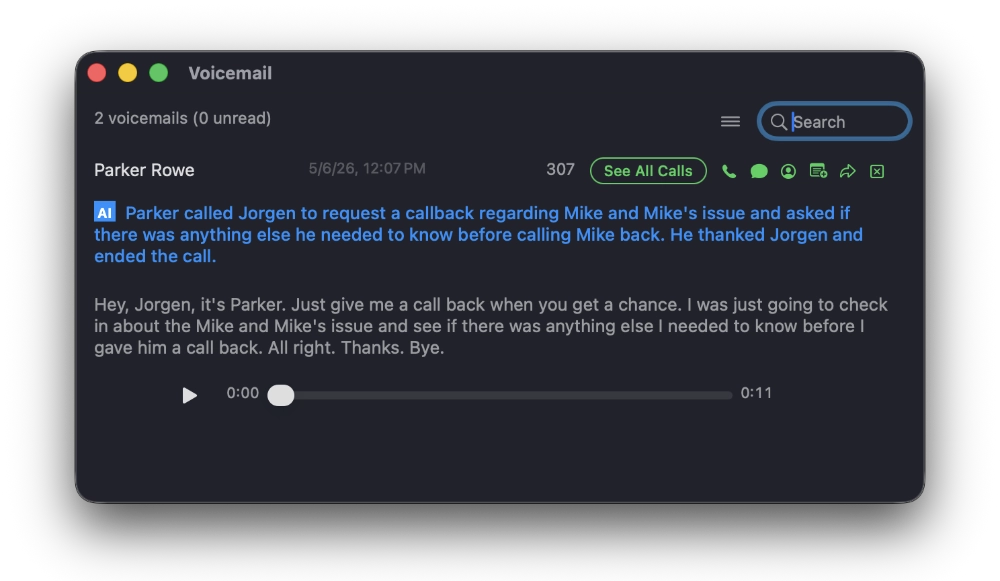
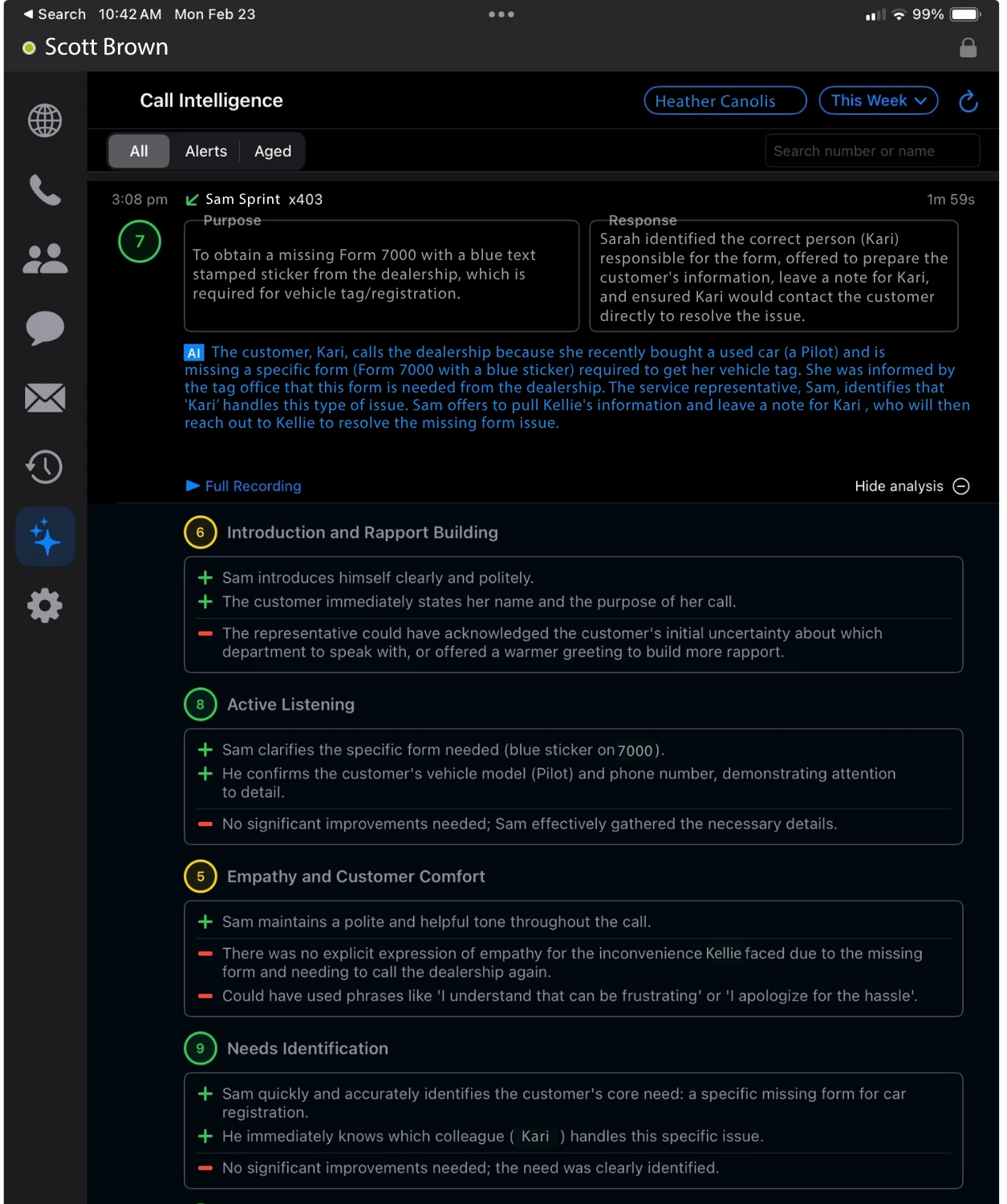
Call Intelligence automatically transcribes and analyzes each conversation, creating a clear snapshot of what was said, how the call was handled, and where follow-up may be needed.
Custom scorecards let you measure the categories that matter to your business — from empathy and customer comfort to closing technique and objection handling. Yellow and red zones highlight coaching opportunities, while Call Brief turns any conversation into a structured follow-up summary with key details, next steps, and the full transcript.
Build rapport without taking notes. Coach your team without listening to every call.
Quickly review what happened on each call, find key details, and follow up with confidence.
See how each call was handled, with AI-generated feedback based on the conversation.
Request a structured call summary with key details, next steps, and the full transcript.
Open GoHighLevel, HubSpot, Pipedrive, ClientTether, Salesforce, or any web-based CRM. WebFones Voice turns phone numbers into click-to-call links and brings your phone system into the tools your team already uses.
Click a number to dial. Send a text from the contact record. Add a note that syncs with both systems. See the call history. Same workflow your team already knows — now with your phone system built in.
Try WebFones Voice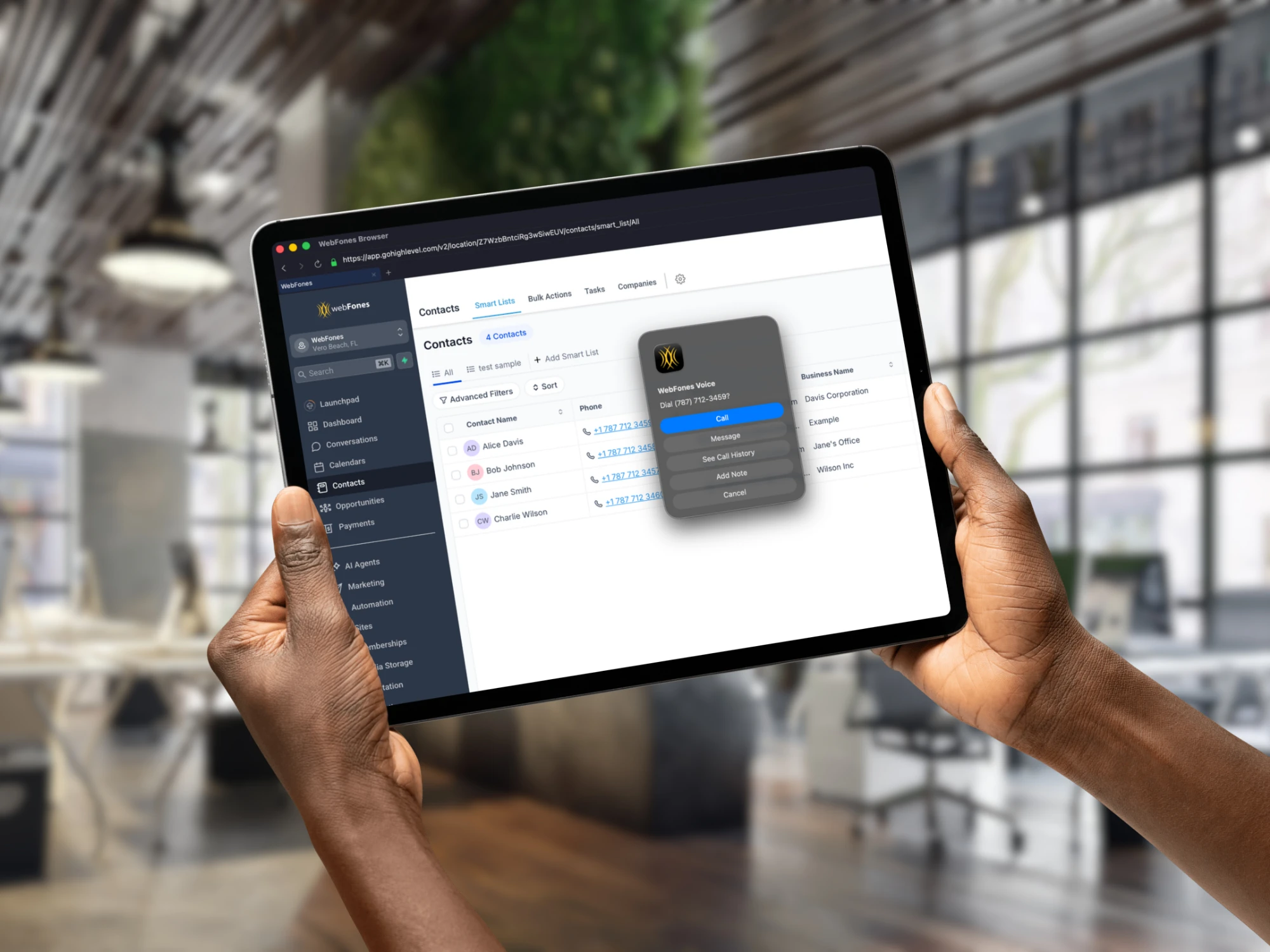
Your business phone system follows your team wherever work happens — desktop, mobile, counter, or on the road. Same business identity. Same workflow. No gaps in coverage. Download the apps to get started.